
Do you know that you can search all public posts on Facebook, including posts made by people you are not friends with? You can.
Here’s how to do it.
1. In the Facebook search box type in a term, try your name.
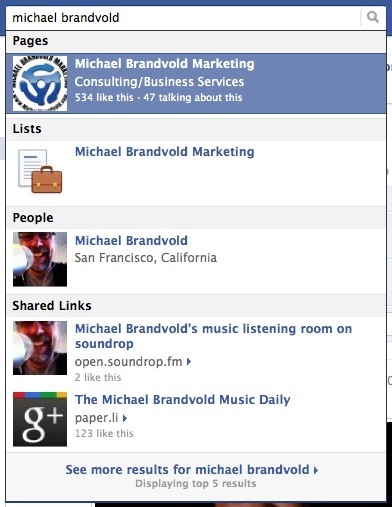
2. Don’t hit enter or select any of the of the suggested results. Select the See More Results link at the bottom of the list.
3. On the results page click Public Posts in the left column.
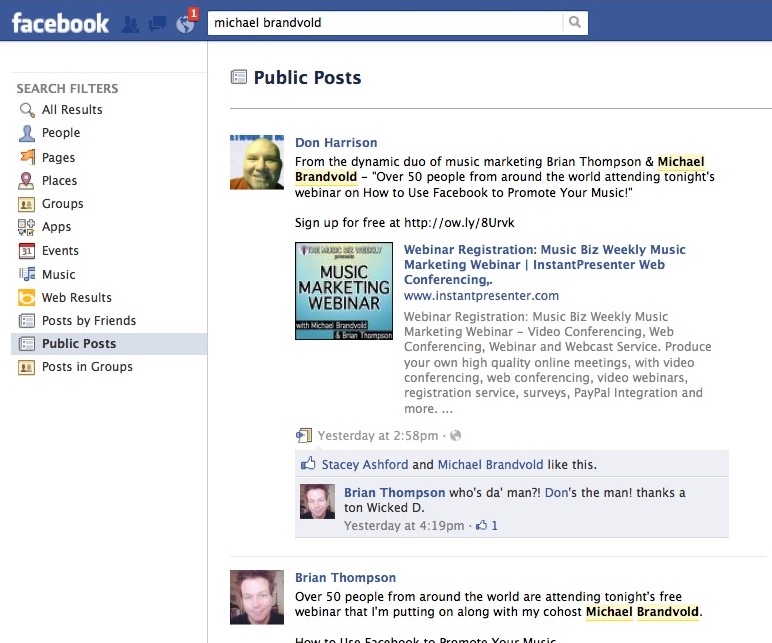
There you go, a list of public posts on Facebook that contain your search term. This is a great way for you to monitor your name or your brand on Facebook.
This is just one of the tips you can learn in the webinar video How To Use Facebook to Promote Your Music.









Thanks for the tip, Mike! I’ve often wondered, last week my band page on FB was telling me “86 people are talking about this” but of course… WHERE?? haha
Thanks for the useful tips, Michael. Always informative.
Chris
Glad to help Chris.
I know this a strange comment, but found very little talk about Facebook Public Posts. My son is using Facebook Public Posts to search for porn photos and video. Is there any way to block access to that search? Via setting, router, OpenDNS, etc.
I am not aware of how to block it, but doing a quick Google search I found this… assume it might be you? http://forums.opendns.com/comments.php?DiscussionID=15907
Has this option disappeared with the new update? It doesn’t seem to be available to me. I am using facebook UK